OPERATING SYSTEM
OCTOBER 9, 2022
A Simple Introduction To Linux OS
Linux is based on the Linux kernel, an operating system kernel first released in 1991 by Linus Torvalds from Helsinki.
Linux® is an open source operating system (OS). The operating system is the software that directly manages the hardware and system resources, such as the processor, memory and storage. The OS sits between the applications (software) and the hardware (hardware) and makes a connection between all of your software and the physical resources running on the computer.
Linux’s origins stem from Unix, which is an operating system developed in the 1970s at Bell Labs by Ken Thompson, Dennis Ritchie and others. Actually Unix and Linux are similar in many ways and in fact, Linux was originally created to be indistinguishable from Unix. Both have similar tools for interacting with the system, programming tools, file system layouts and other key components.
Over the years various OS have been developed from Unix but Linux has been the most successful, far surpassing its predecessors in popularity.
Linux is based on the Linux kernel, an operating system kernel first released on September 17, 1991, by Linus Torvalds, a student at the University of Helsinki.
Torvalds built Linux as a free and open source alternative to Minix, another Unix clone that has been used mostly in academic settings. He originally intended to call it “Freax,” but the administrator of the server on which Torvalds distributed his original code named the directory “Linux” from a combination of Torvalds’ first name and the word Unix and the name became popular.
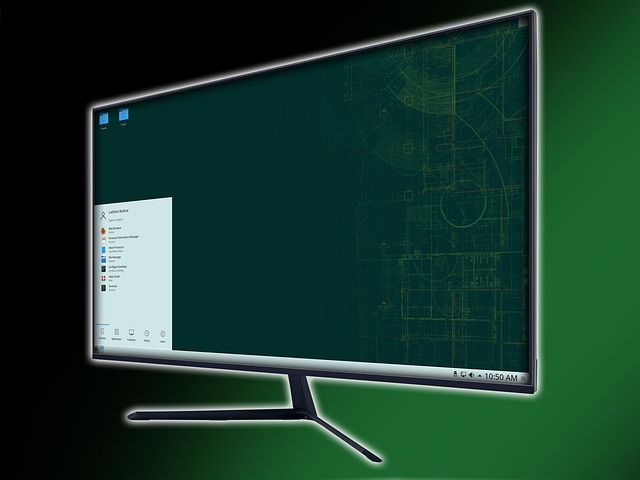
Linux is developed by various communities for computers, servers, mainframes and mobile devices. Linux is supported on almost every major computer platform, including x86, ARM and SPARC making it one of the most widely used operating systems.
In many ways, Linux is similar to other operating systems you may have used before, such as Windows, macOS (formerly OS X), or iOS. Like any other operating system, Linux has a graphical interface, and the same types of software that you are used to, such as word processors, photo editors, video editors, and so on.
In many cases, software authors may have created Linux versions of the same programs that you use on other systems. In short: if you can use a computer or other electronic device, you can use Linux.
But Linux is also different from other operating systems in many important ways. First, and perhaps most importantly, Linux is open source software. The code used to make Linux is free and available to the public for viewing, editing, and—for users with the appropriate skills—to contribute.
Popular distributions include Elementary OS, Fedora, Mint and Ubuntu among many others. It’s a common adage that the best Linux distro is the one that works best on your computer, so try a few to see which works best for your hardware and type of work.
You can install Linux on your current computer (be sure to back up beforehand), or you can buy a System76 or Purism computer with Linux preinstalled. If you’re not looking for the fastest computing experience, you can also install Linux on an older computer, or buy a Raspberry Pi

Many of the devices you probably own, such as Android phones and tablets and Chromebooks, digital storage devices, personal video recorders, cameras, wearables, and more, also run Linux. Your car may be running Linux on its system.
Android, the most widely used mobile OS today is a modified version of the Linux kernel and other open source software, designed primarily for touchscreen mobile devices such as smartphones and tablets.
Can we run Linux on Android? With apps like UserLAnd, anyone can install a complete Linux distribution on an Android device. You don’t need to root your device, so there’s no risk of bricking your phone or voiding your warranty. With the UserLAnd app, you can install Arch Linux, Debian, Kali Linux and Ubuntu on your device.
While you can’t replace Android OS with Linux on most Android tablets, it’s still a good idea to learn about it if you’re a tech enthusiast.
However, one thing you definitely can’t do is install Linux on an iPad. Apple keeps its operating system and hardware under tight lock and key, so no run for Linux (or Android) here.
For older computer users, Linux replaces Microsoft Windows with a lighter operating system that looks similar but runs faster. All over the world, companies use Linux to run servers, appliances, smartphones and more because it is so flexible and royalty-free.
Today it is widely known that Linux is an operating system used to run servers that make the web work and Google is one of them.
Google servers, Android and Chrome OS are all run and supported by Linux.
related post